
Webflow SEO
Find Every SEO Issue on Your Webflow Site
Speedflow checks 20+ SEO signals — meta tags, Open Graph, canonical URLs, schema markup, heading structure, and more. Paste your URL, get results in seconds.
- Free plan available
- No credit card
- Takes ~30 seconds
- Webflow sites audited
- 357Webflow sites audited
- missing canonical URL
- 82%missing canonical URL
- missing Open Graph image
- 71%missing Open Graph image
- SEO checks per audit
- 20+SEO checks per audit
What we check
Every SEO Issue That Affects Webflow Sites
Most SEO tools aren't built for Webflow. Speedflow checks the signals that actually matter for how Webflow generates HTML.
Meta Title & Description
HighMissing or incorrectly sized meta titles (50–65 chars) and descriptions (140–160 chars) — the most common issue on Webflow CMS pages.
Open Graph Image
High71% of Webflow sites are missing og:image. Every share on LinkedIn, Slack, or iMessage looks broken without it.
Canonical URL
MediumNo canonical tag means Google chooses which URL to index. With Webflow's query params, this causes duplicate content issues.
Schema Markup
MediumMissing or invalid JSON-LD schema on key pages (home, about, services, contact) blocks rich results in Google Search.
H1 & Heading Structure
HighMissing H1, multiple H1s, or broken heading hierarchy. Webflow templates often ship with these broken out of the box.
Language & Favicon
HighMissing lang attribute on <html> and unbranded Webflow favicon — two issues that ship on every default Webflow export.
Complete checklist
All 20+ SEO Checks
Every check Speedflow runs on your Webflow site, grouped by category.
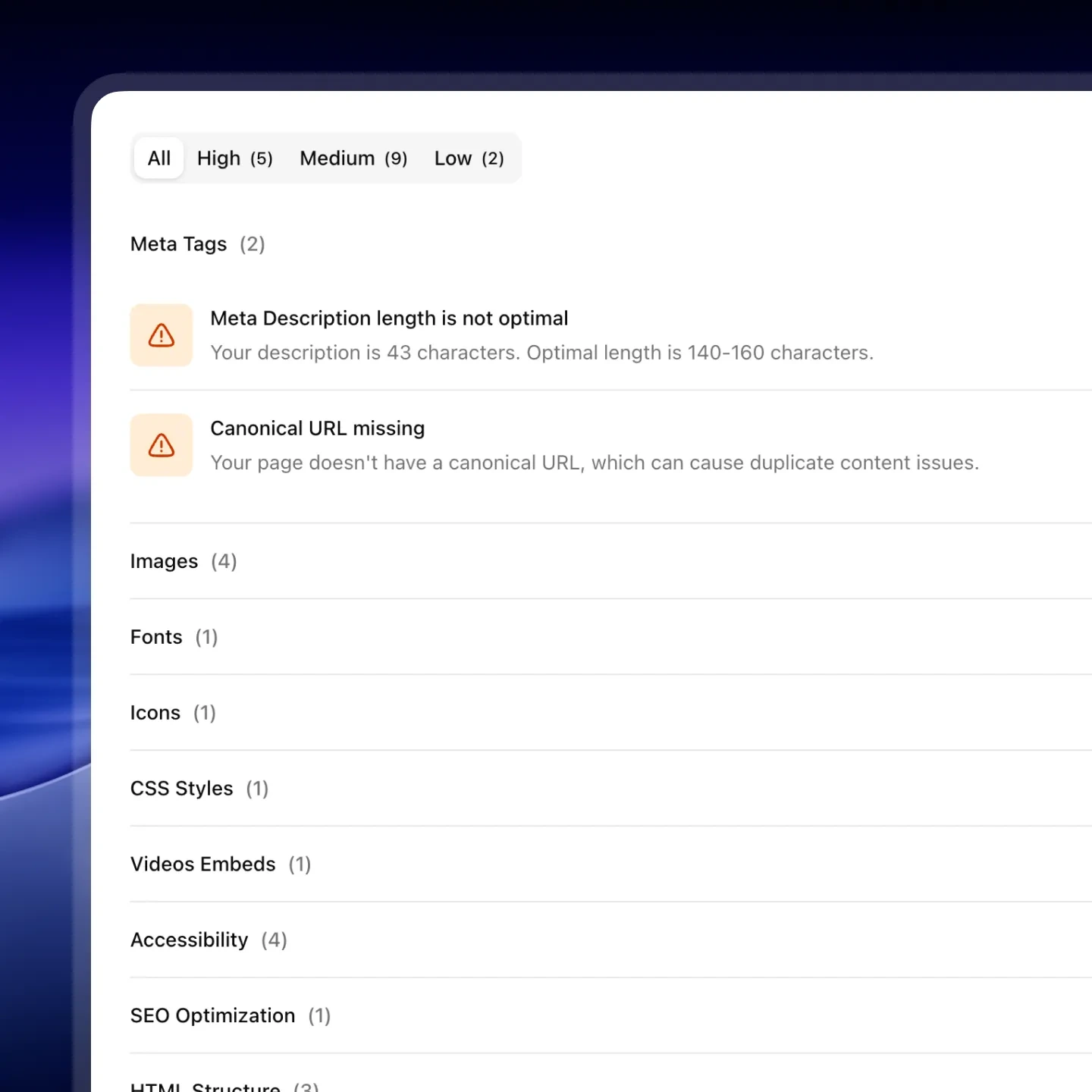
Meta Tags
- Meta title missingHigh
- Meta title length not optimal (50–65 chars)Medium
- Meta description missingHigh
- Meta description length not optimal (140–160 chars)Medium
- Open Graph image missingHigh
- Favicon not branded (default Webflow icon)High
- Webclip (Apple touch icon) not brandedHigh
- Canonical URL missingMedium
Heading Structure
- H1 heading missingHigh
- Multiple H1 headings foundHigh
- Heading hierarchy broken (skipped levels)Medium
Technical SEO
- Language attribute (lang) missing on <html>High
- Webflow staging subdomain not blocked from indexingHigh
Schema Markup
- No Schema.org markup found on key pagesMedium
- Schema markup has invalid JSONHigh
- Schema type missing required fieldsMedium
AEO
- llms.txt file missingMedium
How it works
SEO Audit in 30 Seconds, Fixes in Minutes
Paste Your URL
Any Webflow page – published or staging.
Get a full audit in seconds
50+ QA checks: accessibility, SEO, and performance. Prioritized by impact.
Fix with confidence
Follow Designer-specific instructions and launch knowing the site is clean.
What Webflow developers say after testing Speedflow
Real feedback from Webflow developers and agencies using Speedflow.
Finally, the tool that deserves the spotlight among Webflow developers. It's soo effective that we've instantly incorporated it into our QA process. An incredible time and nerve saver!
There's always that moment when a client opens the site on their end and starts poking around. I used to dread it. Since I started using Speedflow before every launch, I actually look forward to that moment – because I know the site is clean.

Sophie R.
Webflow Developer
I used to spend 1-2 hours going through each site manually before launch. With Speedflow I get the same result in under a minute. That time adds up fast when you're managing multiple client projects at once.

Tomas K.
Webflow Developer
QA used to be held together by memory and manual checklists.
Speedflow changed that – I run it at the 80-90% mark on every project, paste the URL, work through the fixes, done. Hours became minutes. One sitemap crawl covers the whole site, and fixes come with your actual data pre-filled and clear step-by-step instructions.
Whenever I flag something, Dmytro has it sorted the same day. That kind of support is rare.
If you're doing Webflow work and you're not using Speedflow, you're making QA harder than it needs to be.
Before sending a site live, I always had that uncomfortable feeling – "did I miss something?"
Speedflow killed that anxiety. I run an audit, fix what it flags, and launch knowing the site is clean. My clients haven't come back with quality complaints since.

Tim S.
Freelance Webflow Developer
QA always felt overwhelming – I knew something was probably off, but I didn't know where to start or what actually mattered. When I tried Speedflow, everything clicked.
The app doesn't just give you a score, it pinpoints the exact element causing the issue, explains why it matters, and guides you on how to fix it. That's how I finally started taking accessibility and other checks seriously, things I had never even considered before. Now auditing a site feels like a clear, manageable process instead of a frustrating guessing game.
I run a small Webflow agency and QA was always the bottleneck before launch. We'd manually go through checklists, run, check accessibility – it took hours. Speedflow replaced most of that in one click.
Klim
CEO & Founder of an Agency


FAQ
Common Questions
Does Speedflow work with Webflow CMS pages?
Yes. Speedflow audits both static pages and CMS collection items. For CMS pages, it checks each item's meta title, description, OG image, and H1 — the fields that are most often left blank in large collections.
How is this different from running a Lighthouse audit?
Lighthouse focuses on performance scores, not SEO content issues. It won't tell you that your canonical is missing, your OG image is empty, or that your Webflow favicon is still the default. Speedflow is built specifically for the issues Webflow projects actually ship with.
Do I need to install anything?
No. Speedflow runs entirely in the cloud — no browser extension, no npm package, no Webflow integration required. Just a URL.
Is it free?
The free plan gives you a full SEO report with issue titles and severity. Pro unlocks affected elements (which exact elements are broken) and AI suggestions for each issue.
Can I use Speedflow on client sites?
Yes. Many Webflow agencies use Speedflow to audit client sites before delivery.
Free audit
Run Your First Webflow SEO Audit Free
Paste your URL and see exactly what's holding your site back in search.
- Free plan available
- No credit card
- Takes ~30 seconds